
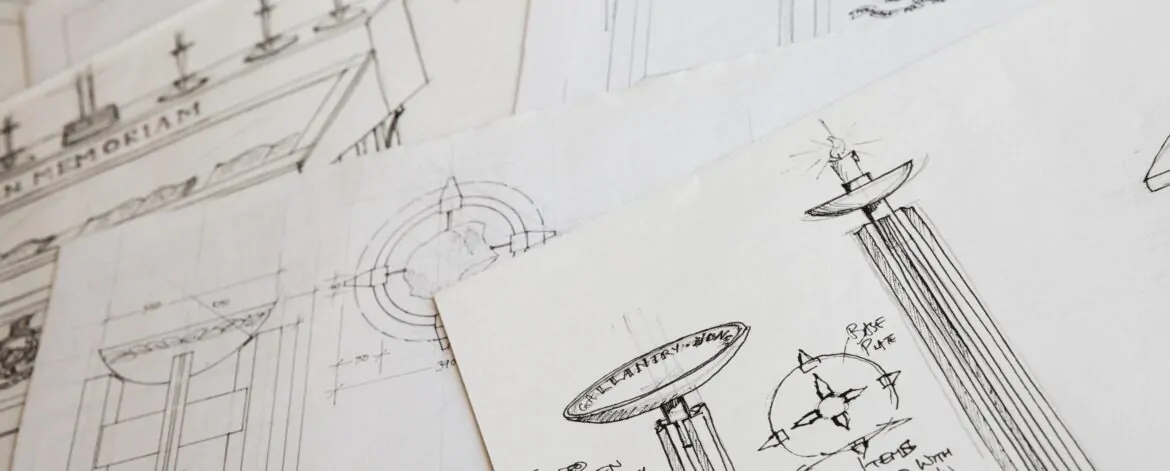
When filing a utility patent application, one of the most powerful tools you have aside from a well-written specification is the patent drawing. While not always strictly required, patent drawings are strongly encouraged by the United States Patent and Trademark Office because they bring your invention to life. They help patent examiners, attorneys, and even juries in infringement cases understand exactly what your invention is and how it works.
In this blog, we’ll break down the types of Utility Patent Drawings and explain when to use each—so you can strengthen your application and improve your chances of approval.
Why Utility Patent Drawings Matter
Before diving into the different types of Utility Patent Drawings, it’s important to understand why they play such a critical role in patent applications.
Unlike design patents, which focus on the ornamental appearance of an invention, utility patents protect functionality—how something works, operates, or is used. This makes clarity absolutely essential. A well-prepared patent drawing can:
- Clearly illustrate complex structures and mechanisms
- Show relationships between components
- Support written claims and descriptions
- Reduce the chances of misunderstandings or objections
- Strengthen enforceability in legal disputes
In many cases, a drawing communicates what words alone cannot. For inventors, that clarity can translate directly into stronger protection and fewer rejections.
Types of Utility Patent Drawings
Understanding the various types of Utility Patent Drawings will help you choose the right visual format for your invention. Each type serves a specific purpose and is suited for different kinds of innovations.
1. Mechanical Drawings
Mechanical drawings are among the most widely used types of Utility Patent Drawings. These are highly detailed, precise illustrations that represent the physical structure of an invention.
Created using professional CAD software such as AutoCAD or SolidWorks, these drawings show exact proportions, dimensions, and relationships between components.
Best suited for:
- Machines and tools
- Engines and mechanical systems
- Consumer products with moving parts
Key features:
- Multiple views (front, top, side, isometric)
- Clear reference numbers identifying parts
- Clean, precise line work
Mechanical drawings are essential when your invention involves physical interaction between components. They help examiners quickly understand how everything fits and functions together.
2. Sketches
Sketches are simple, freehand drawings often used in early stage patent filings. While they may lack the polish of CAD generated images, they still qualify as valid types of Utility Patent Drawings especially for provisional applications.
Best suited for:
- Early-stage inventions
- Provisional patent applications
- Concept demonstrations
Key features:
- Quick and cost-effective
- Flexible and easy to produce
- Must still be clear and legible
Even though sketches are less formal, they must still follow basic guidelines, such as black ink on a white background and no unnecessary shading or color.
3. Flowcharts
Flowcharts are essential when your invention involves a process, system logic, or algorithm. These types of Utility Patent Drawings visually represent the sequence of steps in a method.
Best suited for:
- Software and algorithms
- Business methods
- Manufacturing or chemical processes
Key features:
- Standard symbols (rectangles, diamonds, arrows)
- Logical step-by-step flow
- Clear directional pathways
Flowcharts are particularly useful for method claims, helping examiners understand how each step connects and contributes to the overall process.
4. Block Diagrams
Block diagrams provide a high-level overview of a system by breaking it down into functional components. These are widely used types of Utility Patent Drawings in electrical and software-related inventions.
Instead of showing every detail, block diagrams focus on how major components interact.
Best suited for:
- Computer systems
- Network architectures
- Control systems
- Signal processing technologies
Key features:
- Labeled blocks representing functions
- Lines indicating connections or communication
- Simplified structure for clarity
Block diagrams are ideal when you want to explain the architecture of a system without overwhelming the viewer with technical complexity.
5. Electric Circuit Diagrams
Electric circuit diagrams (also called schematics) are specialized types of Utility Patent Drawings used for electrical and electronic inventions.
They rely on standardized symbols to represent components such as resistors, capacitors, transistors, and integrated circuits.
Best suited for:
- Electronic devices
- Embedded systems
- Power supplies and circuits
- Sensors and control electronics
Key features:
- Industry-standard symbols
- Clearly defined connections
- Logical circuit flow
These diagrams are crucial when your invention depends on electrical functionality. They provide a precise blueprint of how the system operates.
6. Graphs and Charts
Although less common, graphs and charts are still valid types of Utility Patent Drawings when your invention involves data, performance metrics, or experimental results.
Best suited for:
- Scientific innovations
- Chemical and pharmaceutical inventions
- Material science technologies
Key features:
- Data visualization (e.g., trends, comparisons)
- Clearly labeled axes and values
- Supporting evidence for claims
For example, a patent involving battery technology might include a graph showing voltage performance over time. These visuals strengthen the credibility of your invention by backing it with measurable results.
Choosing the Right Type of Utility Patent Drawings
Selecting the appropriate types of Utility Patent Drawings depends entirely on the nature of your invention. In many cases, a single patent application may include multiple drawing types.
For example:
- A mechanical device might include mechanical drawings and block diagrams
- A software-based invention might combine flowcharts and block diagrams
- An electronic system may require both circuit diagrams and system-level illustrations
The key is to ensure that your drawings complement your written description and make your invention as clear as possible.
USPTO Requirements You Should Know
The United States Patent and Trademark Office has strict guidelines for patent drawings. Regardless of which types of Utility Patent Drawings you use, they must meet specific formatting rules:
- Black and white line drawings (color only allowed in rare cases)
- Proper margins and page size
- Consistent reference numerals
- No unnecessary shading or artistic elements
- Clear, legible text and lines
Failure to meet these standards can result in objections or delays in your application process.
Final Thoughts
Understanding the different types of Utility Patent Drawings is essential for any inventor aiming to file a strong patent application. Whether you’re using mechanical drawings, flowcharts, block diagrams, or simple sketches, each type plays a role in clearly communicating your invention.
Well crafted drawings not only improve comprehension but also strengthen your claims, reduce objections, and enhance the overall quality of your application. In many cases, they are the first thing an examiner reviews—so making a strong visual impression matters.
If you want your patent application to stand out and meet all United States Patent and Trademark Office standards, it’s best to work with experts.
The Patent Drawing Services specializes in creating high-quality, compliant drawings tailored to your invention. From mechanical illustrations to complex flowcharts and circuit diagrams, their team ensures precision, clarity, and fast turnaround times.