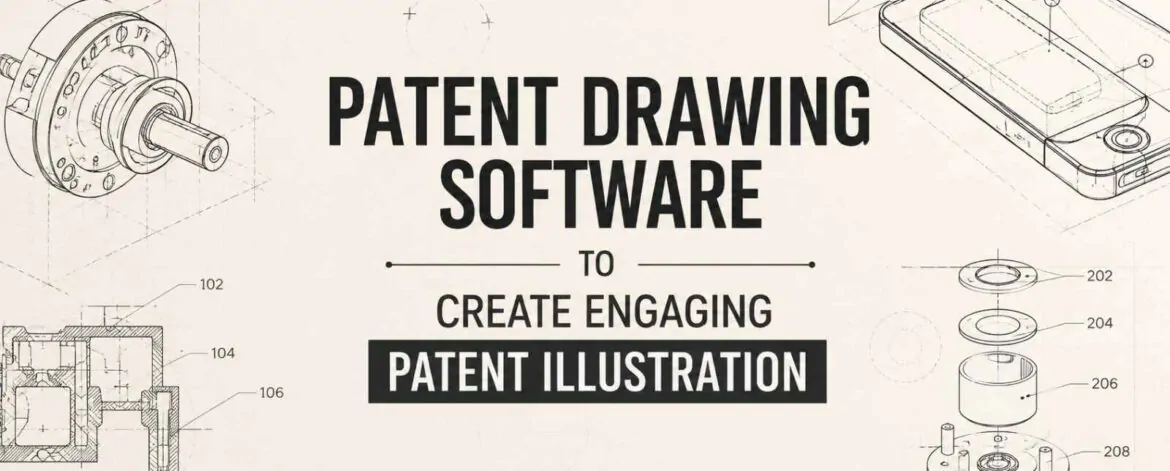
Patent Drawing Software has become an important tool for inventors, patent attorneys, engineers, and intellectual property professionals who need accurate technical illustrations. A well-prepared patent drawing does more than make an application look professional. It helps explain how an invention works, shows its important features, and supports the written description submitted with a patent application.
However, creating an Engaging Patent illustration is not simply about using advanced design tools. Patent drawings must be technically accurate, easy to understand, and prepared according to the requirements of the relevant patent office. Whether the application is being prepared for the USPTO, EPO, or a filing through WIPO, the quality of the drawings can have a direct impact on how clearly the invention is presented.
For this reason, choosing the right Patent Drawing Software and working with experienced patent illustrators can help applicants create drawings that are both visually clear and technically reliable.
What Is Patent Drawing Software?
Computer-based tools used to produce technical illustrations for patent applications are referred to as patent drawing software. Depending on the invention, these tools can be used to prepare mechanical drawings, sectional views, exploded views, flow diagrams, electrical schematics, and other technical figures.
The main purpose of Patent Drawing Software is accuracy. Patent-focused drawing workflows necessitate meticulous control over lines, forms, labels, reference numbers, and figure layouts, in contrast to standard graphic design tools.
An Engaging Patent illustration should allow a reader to understand the invention without unnecessary visual complexity. The drawing should accurately depict the characteristics being described and match the patent specification.
Why Is Patent Drawing Software Important?
A patent application may contain several drawings, and each figure needs to work together as part of one complete visual explanation. Patent Drawing Software can make this process more efficient by helping professionals create consistent and editable drawings.
One major advantage is precision. Engineers and patent illustrators can use Patent Drawing Software to create accurate shapes and technical components. This is particularly useful for inventions with complicated structures or multiple interconnected parts.
Another advantage is consistency. When several figures represent the same invention, the components should appear consistent from one view to another. Using professional Patent Drawing Software makes it easier to maintain the same proportions, line quality, reference numerals, and visual standards.
The software also makes revisions easier. Patent applications often go through several rounds of review. If an attorney requests a change or an inventor provides updated technical information, an existing drawing can be edited instead of being recreated completely.
How to Create an Engaging Patent Illustration
An Engaging Patent illustration should be clear before it is attractive. Patent drawings are technical documents, so their primary purpose is to communicate information accurately.
The first step is choosing the right view. Depending on the invention, the drawing may require a front view, side view, top view, perspective view, sectional view, or exploded view. The right combination of views can make an Engaging Patent illustration much easier to understand.
A second consideration is visual simplicity. Unnecessary elements that detract from the idea should not be included in a patent illustration. Patent Drawing Software allows illustrators to control lines, shapes, and other elements so that important features remain easy to identify.
Reference numerals are also essential. Components shown in the drawing should correspond with the written description. Consistent numbering across multiple figures helps readers follow the invention and understand how individual elements relate to each other.
The best Engaging Patent illustration is therefore one that balances technical detail with visual clarity.
Types of Patent Drawings Created Using Software
Different inventions require different types of illustrations. Numerous technical drawing requirements can be supported by patent drawing software.
Mechanical Patent Drawings
Mechanical inventions often require detailed illustrations showing components, assemblies, and working relationships. Patent Drawing Software can help create accurate perspective, sectional, and exploded views.
An Engaging Patent illustration can show how individual parts fit together and how the invention operates.
Electrical and Electronics Drawings
Electronic inventions may require circuit diagrams, system architectures, block diagrams, or wiring representations. Using appropriate Patent Drawing Software can help organize complex technical information into a structured visual format.
Software and Process Illustrations
Some inventions involve processes, systems, or software functionality. Flowcharts and process diagrams can help explain how different steps are connected.
When prepared carefully, these figures can become an Engaging Patent illustration that simplifies a complicated process for the reader.
Design Patent Drawings
Design patent applications focus on the appearance of a product. The drawings must clearly communicate the claimed visual features and provide appropriate views of the design.
Professional Patent Drawing Software can help maintain consistency across multiple views, which is important when creating an Engaging Patent illustration for a design application.
Patent Drawing Software and USPTO Requirements
For U.S. patent applications, drawings must comply with applicable USPTO rules and requirements. Depending on the application and the type of invention, considerations may include drawing quality, figure numbering, reference characters, margins, line clarity, and overall presentation.
Patent Drawing Software can help professionals create and organize compliant drawings, but software by itself does not guarantee acceptance. The person preparing the drawing must understand the applicable requirements and ensure that the final figures accurately represent the invention.
An Engaging Patent illustration should never sacrifice accuracy for appearance. A drawing that looks attractive but fails to properly disclose an invention may not provide the intended value to the patent application.
EPO and WIPO Patent Drawing Considerations
Applicants seeking international protection may also work with the EPO or use procedures administered by WIPO.
The EPO has specific requirements concerning patent application documents, including drawings. Similarly, WIPO provides international patent filing procedures under the Patent Cooperation Treaty (PCT).
Before completing drawings, patent specialists should evaluate the relevant standards because filing requirements can differ based on the jurisdiction and application route.
Using Patent Drawing Software can support a consistent production process, but professional knowledge remains important. An Engaging Patent illustration must be prepared with the intended filing requirements in mind.
Can You Create Patent Drawings Yourself?
Technically, applicants can use Patent Drawing Software to create their own patent illustrations. However, the process can become challenging when an invention involves complex structures or strict drawing requirements.
The challenge is not only learning the software. The creator must also understand patent drawing conventions, figure selection, reference numerals, technical accuracy, and applicable filing standards.
For inventors who already have CAD files or technical sketches, professional patent drawing services can convert those materials into polished patent figures. This approach can save time and reduce the risk of errors.
For many applicants, combining professional expertise with advanced Patent Drawing Software provides a more efficient way to produce an Engaging Patent illustration.
The Patent Drawing Services: Professional Support
The Patent Drawing Services provides professional solutions for applicants, inventors, businesses, and intellectual property professionals who need clear and technically accurate illustrations.
Utility Patent Drawing
Utility Patent Drawing services help illustrate inventions based on their functional features and technical structures. Depending on the invention, drawings may include multiple views, sectional illustrations, exploded views, and other technical representations.
Professional Patent Drawing Software can be used to develop accurate figures that clearly support the invention’s disclosure.
Design Patent Drawing
Design Patent Drawing services focus on communicating the visual appearance of a product. Multiple views may be prepared to clearly represent the claimed design.
A carefully created Engaging Patent illustration can help present the product’s shape, configuration, and visual characteristics clearly.
Trademark Drawing
Trademark Drawing services help prepare clear visual representations for trademark applications. Whether the mark includes stylized lettering, graphic elements, or a combination of both, accurate presentation is important.
Professional preparation can help ensure that the submitted representation reflects the intended mark clearly.
Final Thoughts
The right Patent Drawing Software can make patent illustration more accurate, efficient, and consistent. However, software is only one part of the process. Creating an Engaging Patent illustration requires technical knowledge, careful planning, and an understanding of patent drawing requirements.
For applications involving the USPTO, EPO, or WIPO, applicants should focus on accuracy and compliance rather than visual appearance alone. A strong patent illustration should clearly communicate the invention and work effectively alongside the written description.
The Patent Drawing Services offers Utility Patent Drawing, Design Patent Drawing, and Trademark Drawing services to help inventors and IP professionals present their intellectual property clearly. By combining professional expertise with modern Patent Drawing Software, applicants can develop accurate and effective illustrations designed to communicate complex ideas with clarity.